|
FileDirector™ Tab
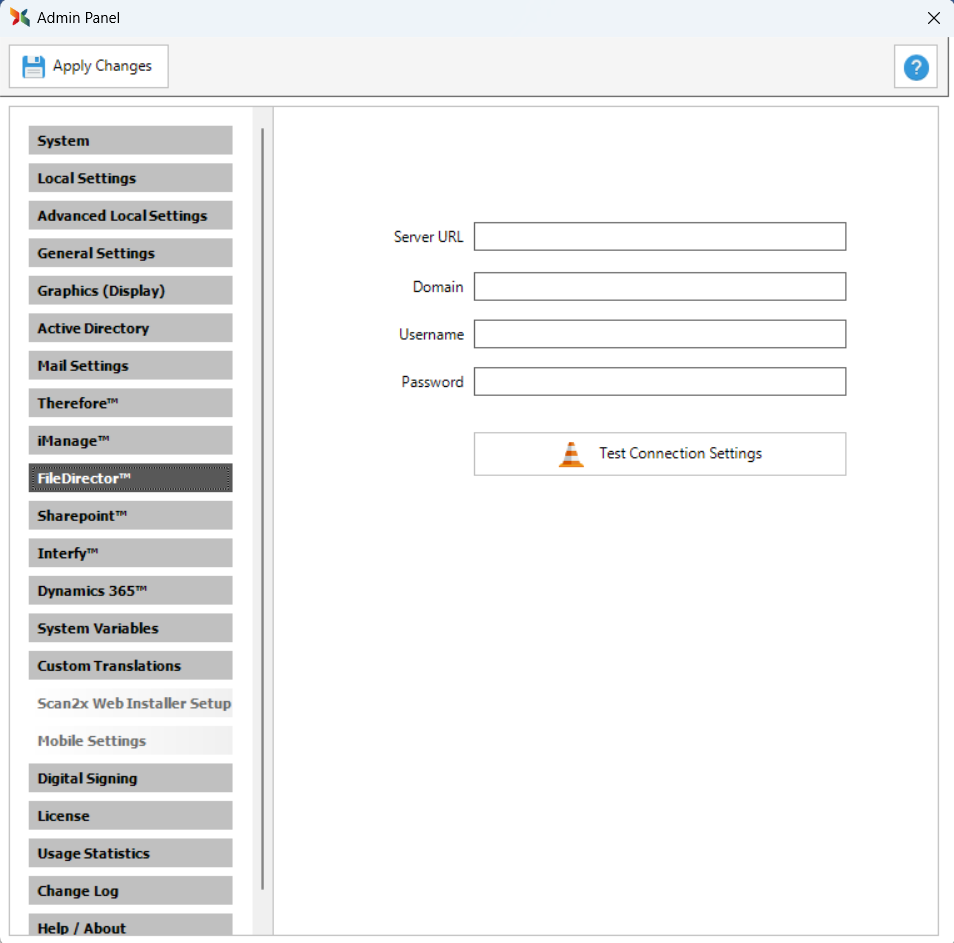
The FileDirector™ tab is only visible and used when saving scanned documents directly into Spielberg’s FileDirector™ Document Management System (DMS). If you do not intend to use FileDirector™, leave these settings blank.
Use this tab to enter the credentials of the FileDirector™ DMS user created for Scan2x. Scan2x uses these credentials for all aspects of its communication with FileDirector™.
Creating the Scan2x FileDirector™ User
Create a FileDirector™ user for Scan2x before configuring this tab. The credentials of this user must include the following:
•View permission for all folders and categories that you want to appear in the drop down menus at configuration time.
•Read and write access to the categories into which you expect users to save documents.
Note: Users are never granted access to FileDirector™ through Scan2x. The credentials above are used only during job configuration and when saving scanned jobs.
|
Field
|
Description
|
|
Server URL
|
The URL of the FileDirector™ server.
|
|
Domain
|
The domain used to connect to FileDirector™.
|
|
Username
|
The username of the FileDirector™ user created for Scan2x.
|
|
Password
|
The password of the FileDirector™ user created for Scan2x.
|
|
Test Connection Settings
|
Tests whether Scan2x can connect to FileDirector™ with the details entered.
|
|

